
AutoManager alternative.
Compare WebManager’s website and merchandising role while keeping DeskManager and CRM requirements distinct.
Bring your current AutoManager website. Let’s review the experience and discuss what a DealerProEdge site could do for your store.
See the comparison ↓Compare what matters to your store.
This comparison covers the website decision. Bundled CRM, DMS, advertising, and specialist services need their own scope. Unverified details are questions for the provider, not evidence that a feature is missing.
| What to evaluate | AutoManager | DealerProEdge |
|---|---|---|
| Website experience | Responsive dealer websites offered alongside dealership software. | Mobile-first dealer websites, inventory search, vehicle detail pages, and a dealer CMS.Explore website experience |
| Inventory | WebManager supports vehicle marketing and inventory syndication. | Multi-location inventory sync, merchandising tools, and inventory exports. Confirm your feed requirements with us.Explore inventory |
| Search visibility | Search visibility is part of the WebManager positioning. | Technical SEO foundations, structured data, and inventory-aware content, with automotive SEO services available.Explore search visibility |
| AI tools | AI tool availability is not established by the cited sources; ask the provider. | AI-assisted vehicle descriptions, inventory search, and chat. Review the tools and package scope in your demo.Explore ai tools |
| Connections | Connections among DeskManager, WebManager, and CRM. | CRM and inventory integration workflows. Validate your named providers before planning a transition.Explore connections |
| Support | Technical support and live chat are listed. | A support contact and a demo conversation covering launch, migration, and the right package for your store.Explore support |
| Pricing & terms | Published package options; identify website and DMS charges separately. | Discuss your package in a demo. The published guarantee describes a month-to-month partnership. Two months free for dealerships with 50+ vehicles. See the separate offer details.Explore pricing & terms |
Based on the official sources below. Product scope and commercial terms can change; confirm your specific package.
Separate WebManager from DeskManager.
AutoManager offers both website and dealership management products. A website evaluation should specify which WebManager functions you need to replace and which DeskManager functions stay. Confirm feed access and lead routing before setting expectations.
Map the inventory and lead connections your dealership uses today. DealerProEdge will discuss compatibility with your named systems before defining a launch plan.
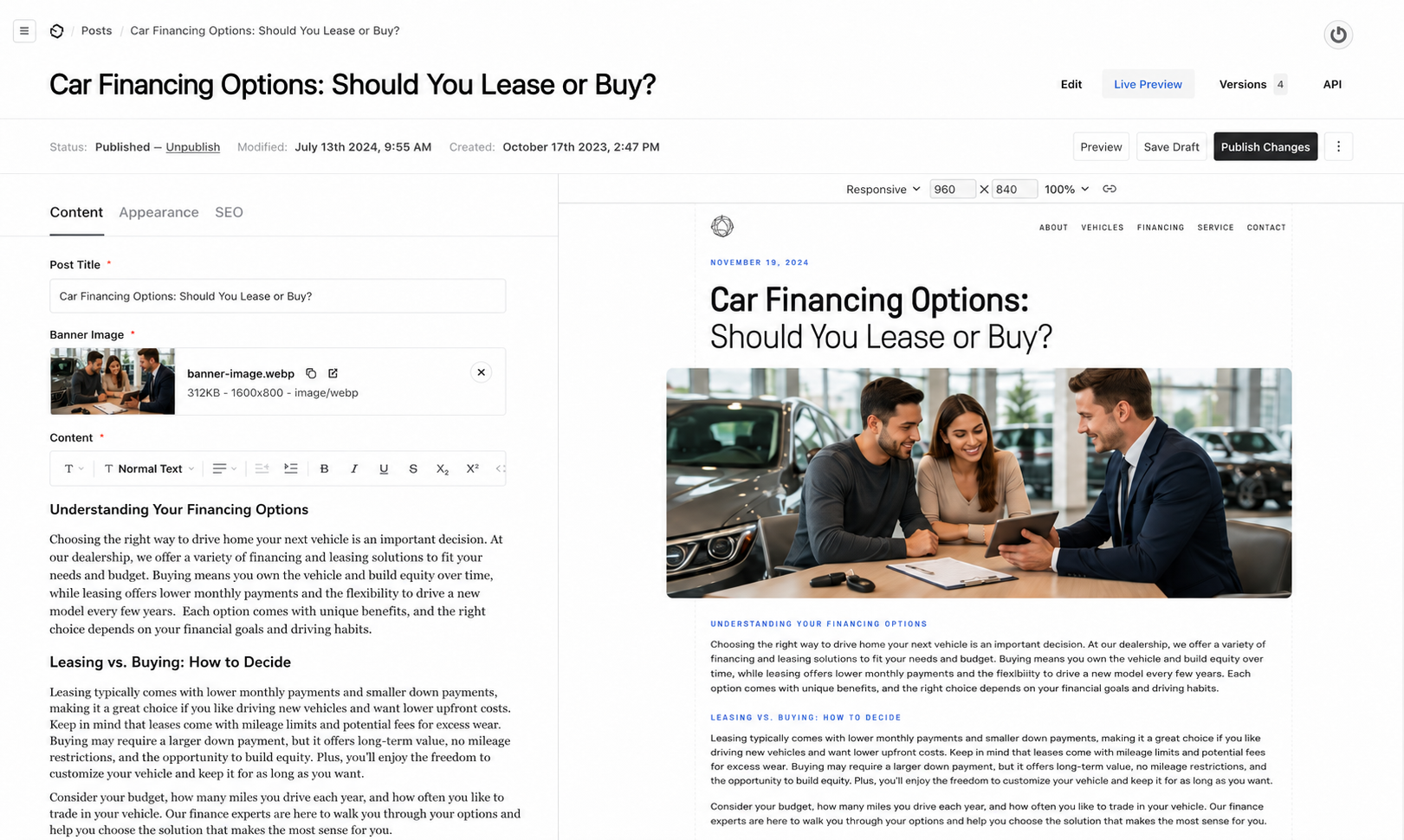
Explore DealerProEdgeShown: DealerProEdge product interface.
Protect your distribution workflow.
WebManager is positioned around inventory marketing and syndication. List every destination you use, along with subscription ownership. Compare that list with DealerProEdge’s proposed inventory exports and document anything that needs a different connection.
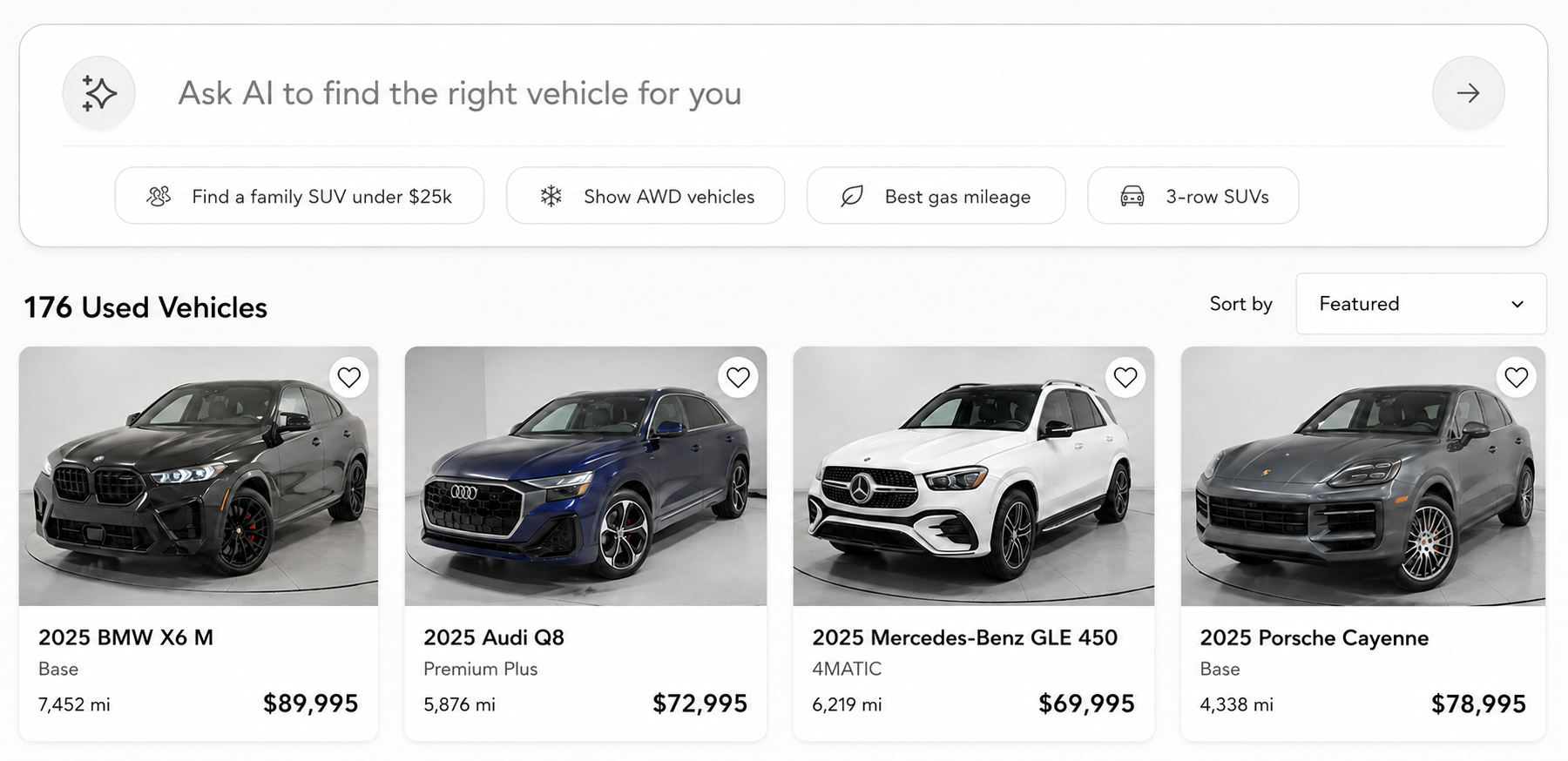
Explore DealerProEdge inventory search, filters, vehicle detail pages, and multi-location inventory workflows using the needs of your store.
Explore DealerProEdgeShown: DealerProEdge product interface.
Compare the tools your staff actually opens.
AutoManager offers responsive websites alongside its operating software. Ask your team which edits and merchandising tasks happen daily. Use those tasks to assess the DealerProEdge CMS and the amount of retraining a change would require.
DealerProEdge gives your team a dealer CMS and a mobile-first website. In the demo, walk through changing a page and following a shopper from search to a vehicle enquiry.
Explore DealerProEdgeShown: DealerProEdge product interface.
Choose around the way you sell.
Who AutoManager may suit
Used-car dealers evaluating the connected DeskManager, WebManager, and CRM offering.
Who DealerProEdge may suit
You run an independent dealership and want to evaluate a mobile-first website, inventory-aware SEO, and connected lead tools around your own stock and sales process. Bring your required systems so we can confirm the fit together.
Make the handoff part of the plan.
- 01
Map what you have.
Bring your website URL, inventory feed, CRM, third-party tools, and current agreement. Identify who controls the domain and website content.
- 02
Review what should move.
Identify important pages, vehicle URLs, lead forms, and tracking. Discuss content ownership, redirects, compatibility, and data responsibilities.
- 03
Agree on a launch path.
Confirm package scope, setup work, feed testing, and enquiry delivery before setting a launch date. The timeline depends on your dealership’s setup.
Room to evaluate
Two months free for dealerships with 50+ vehicles.
Give your team time to evaluate the website with your inventory and your shoppers. See the current offer details and discuss eligibility during your demo.
See offer detailsBefore your demo.
Does this comparison replace DeskManager?
No. It focuses on the website and WebManager-related marketing needs. DMS operations and any changes to DeskManager must be evaluated separately.
Can you review our current AutoManager website?
Yes. Bring your current website URL to your demo. We can discuss mobile usability, inventory discovery, SEO priorities, and enquiry paths as part of the conversation.
What should we confirm before switching?
Review your agreement, domain access, content ownership, inventory feeds, CRM lead delivery, existing tools, and redirects. Compatibility and the launch schedule depend on your specific setup.
Who qualifies for the two-month offer?
Two months free for dealerships with 50+ vehicles. Review the offer details and confirm eligibility and package scope during your demo.
A comparison you can check.
Last reviewed . Competitor descriptions come from their official public materials. Evaluation guidance is our interpretation; this is not an independent performance benchmark.
- AutoManager suite (opens in a new tab)
- AutoManager pricing (opens in a new tab)
- AutoManager websites (opens in a new tab)
- AutoManager support (opens in a new tab)
DealerProEdge details are supported by our website, SEO, messaging, and guarantee pages. AutoManager and its product names belong to their respective owners. This page does not imply affiliation or endorsement.
Keep comparing.
- Connected dealership software
Auto Dealer Digital
Compare a dealership operating and marketing suite with a focused DealerProEdge website project.
Compare with DealerProEdge - Connected dealership software
AutoRaptor
Evaluate a website connected to AutoRaptor CRM alongside a DealerProEdge plan for your store’s existing sales workflow.
Compare with DealerProEdge - Connected dealership software
AutoRevo
Compare AutoRevo’s website and InLine tools with a DealerProEdge website plan for your sales workflow.
Compare with DealerProEdge